Controls
Hide and restore the Under Canopies HUD with P
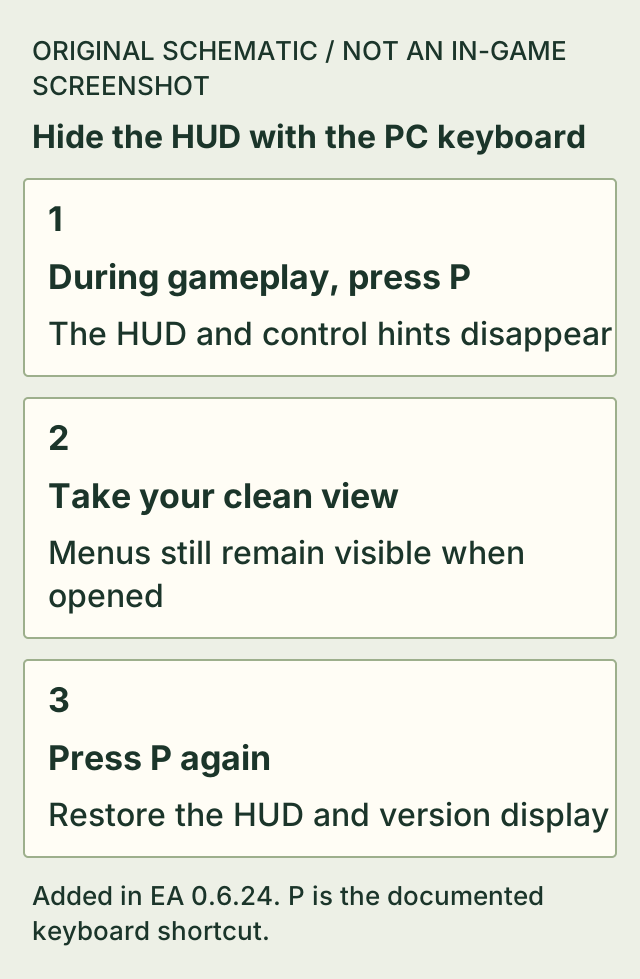
During gameplay, press P to hide the whole HUD, including control hints and the version number. Press P again to bring it back.
Menus still remain visible when you open them. The shortcut is documented in the 0.6.24 update; no controller equivalent is established here.
On this page
Before you start
- The Steam PC keyboard controls described by the 0.6.24 update.
- A gameplay view rather than expecting an opened menu to disappear.
Hide, then restore the display
- While in gameplay, press P.
- Check that the HUD, control hints and version display are hidden.
- Press P again when you want those elements back.
If it does not work
- A menu is still on screen.
- That is expected: the update explicitly leaves menus visible when opened.
- Control hints and the version number have vanished.
- They are included in the HUD toggle. Press P again to restore them.
- You need a controller shortcut.
- This page establishes the documented PC keyboard P action only; it does not supply an unverified controller binding.
- P does not produce the expected change.
- Check that you are in gameplay and that the installed version includes the 0.6.24 keyboard shortcut. Opened menus remain visible by design; this page does not verify custom bindings or a controller equivalent.
How to know you are done
- The HUD is hidden after the first press and returns after the next press of P.
Sources & version
Applies to Added in EA 0.6.24; latest official patch checked: 0.6.25. The cited older source is not a v0.6.25 gameplay replay. on Steam PC (Windows). Sources observed 2026-11-02. Updated 2026-11-02.
- Official update 0.6.24: Better Building, Animal Rewards & Inventory Fixes — 0.6.24; observed 2026-11-02T14:44:45.324Z. Published patch notes, not a hands-on replay of Steam public build 26335062.